01
Upload your tender
Drop in the tender PDF. We read its items, its standard specifications and every Special Provision it lists.
An AI agent that builds a map of every moving part of your contract. Items, specs, amendments, references — nothing missed. Every answer cited to the spec.
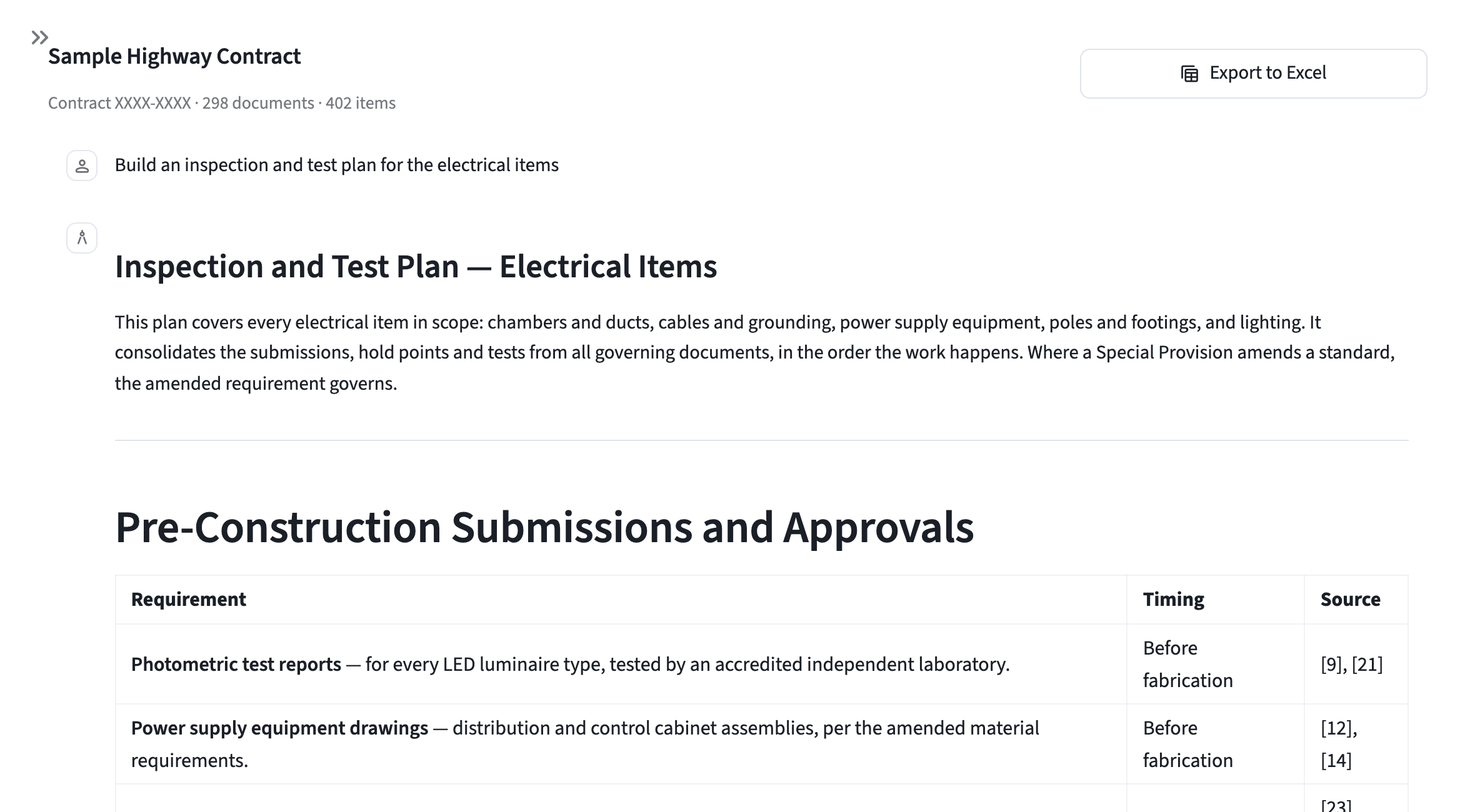
How it works
No setup, no tagging, no document hunting. The tender is the only thing you bring.
Drop in the tender PDF. We read its items, its standard specifications and every Special Provision it lists.
Every governing document is procured, read and linked to the items and specs it governs — amendments and references included. In minutes.
Ask the agent anything, open any document beside the answer, or export the whole graph to a hyperlinked Excel.
Why it's different
Generic AI tools rank passages by what sounds like your question. TolAI builds a knowledge graph of the whole contract and understands the legal hierarchy inside it — so every answer comes with full context, traced back to the spec.
Where documents conflict, the agent understands contract pertinence and hierarchy.
Governing documents are included because they bind the work — not because their wording happens to match. Amendments and cross-references come along automatically.
Ask about a single item or a whole family of them. Every item in scope, and every governing document brought into the answer.
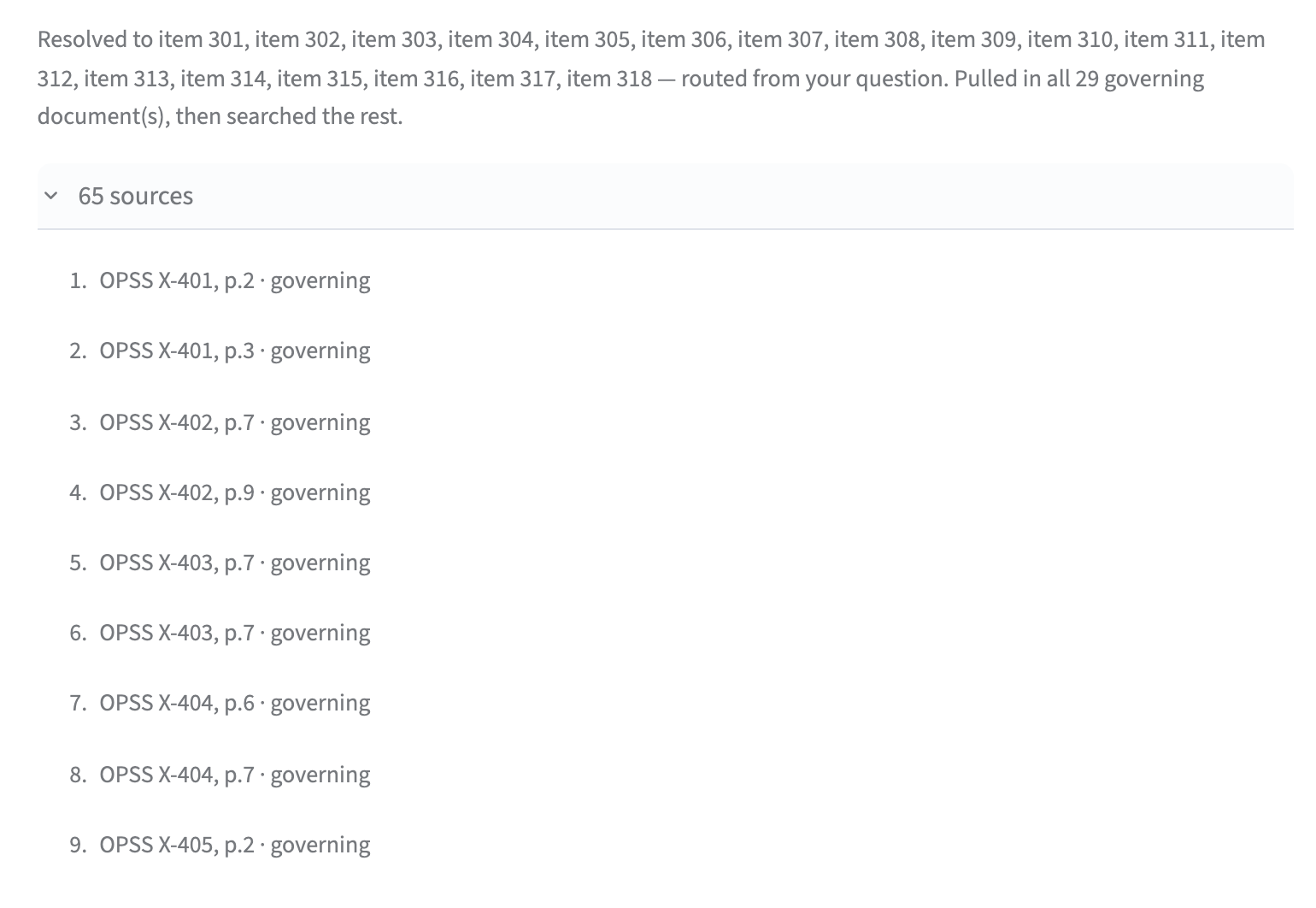
When documents conflict
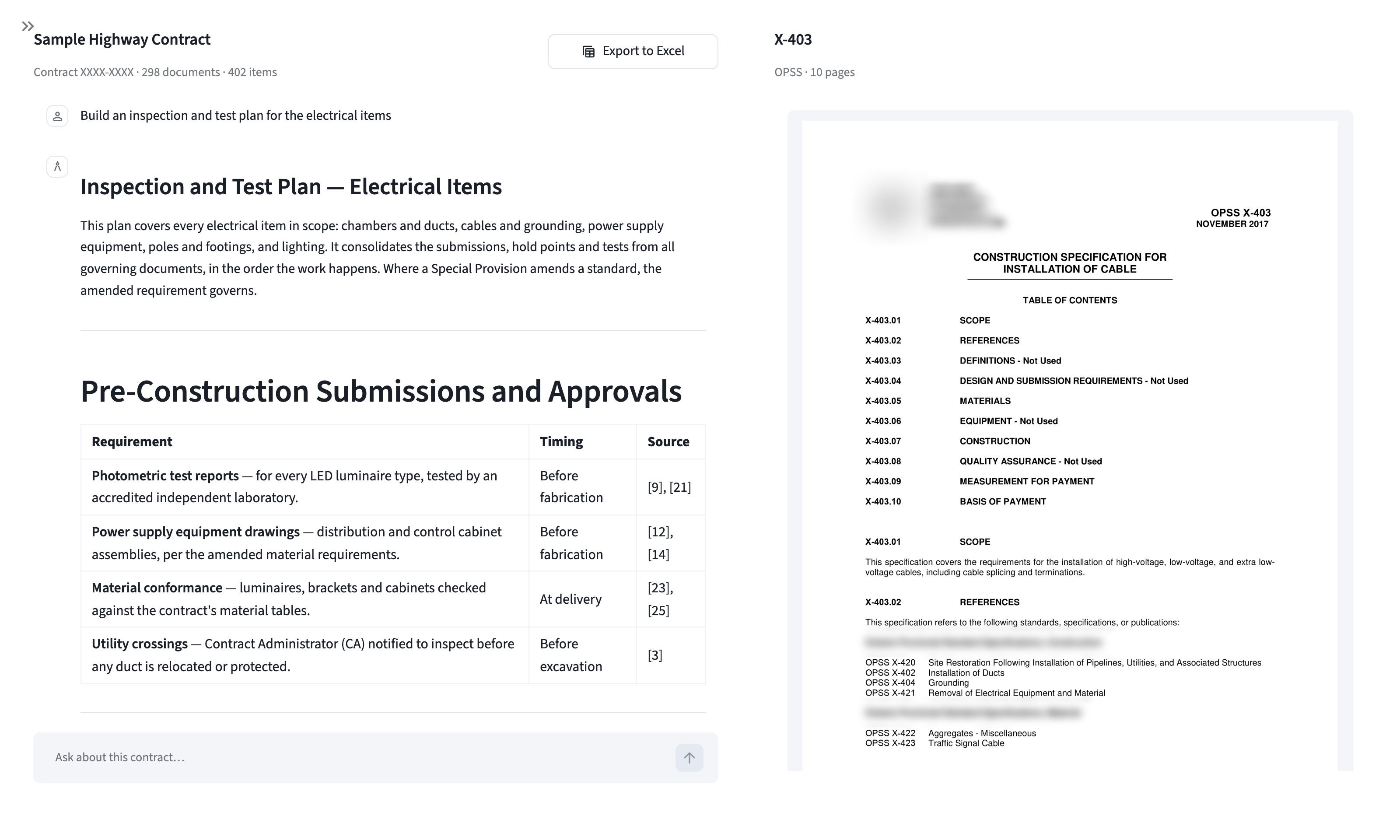
01 · Instant knowledge base
Hundreds of documents, procured and organized in minutes.
The tender, every OPSS it names and the standards those cite, every General SP and every Item Specific SP — including provisions written straight into the tender. All in one place, searchable, and open beside the conversation.
02 · The mind map
And what amends or references what.
Every item is linked to its standard, to every General SP amending that standard, and to every Item Specific SP that names it — and every standard to the ones it cites. A spec is routinely amended by several provisions at once, so nothing is collapsed to “the” spec, and nothing is left for someone to remember.
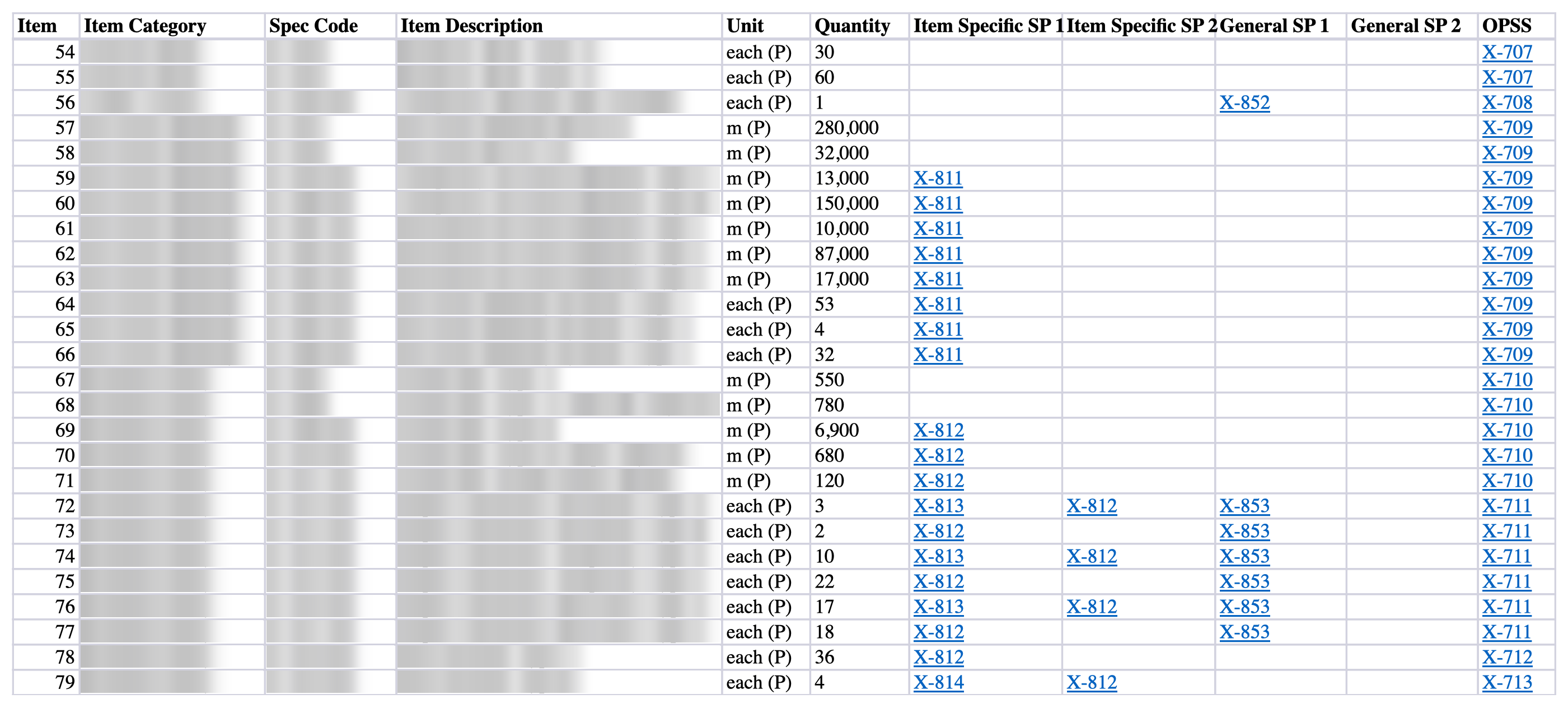
Every blue cell opens the document it names.
03 · One Excel, hyperlinked
Zero software needed.
One row per item — spec code, description, quantity — and every governing document beside it as a link to the PDF itself. Export in one click and send it with the document bundle. If they can open a spreadsheet, they can use it.
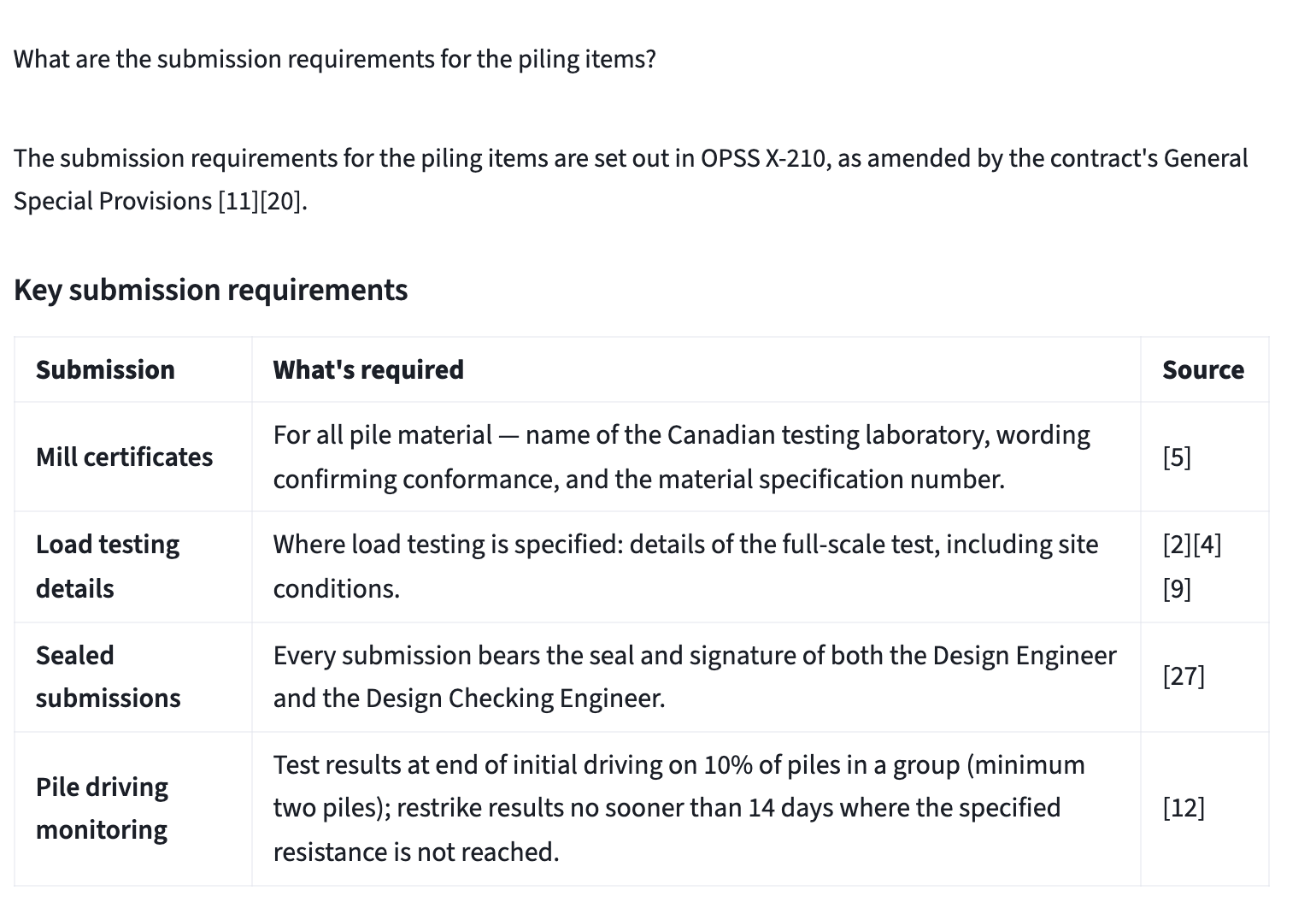
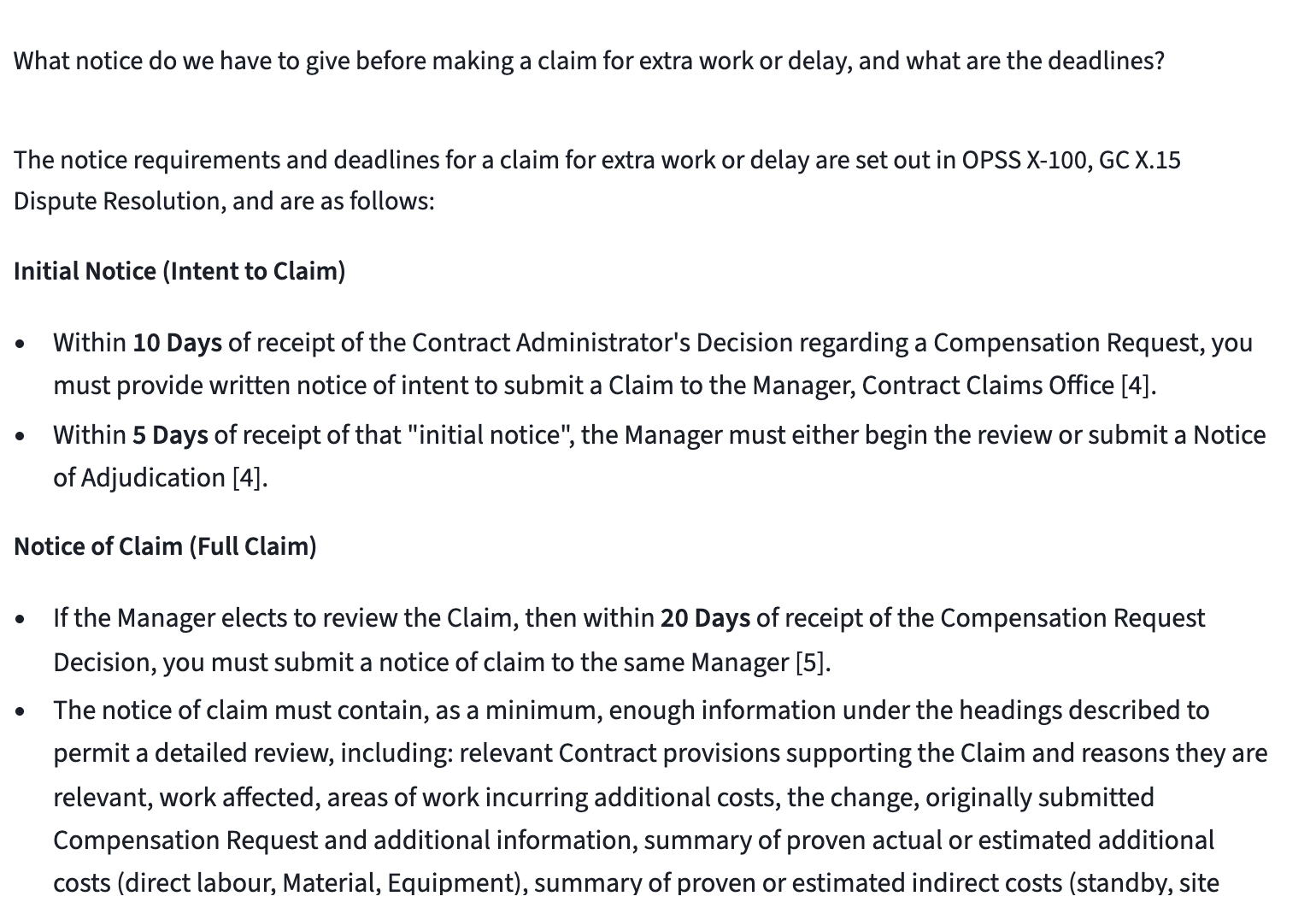
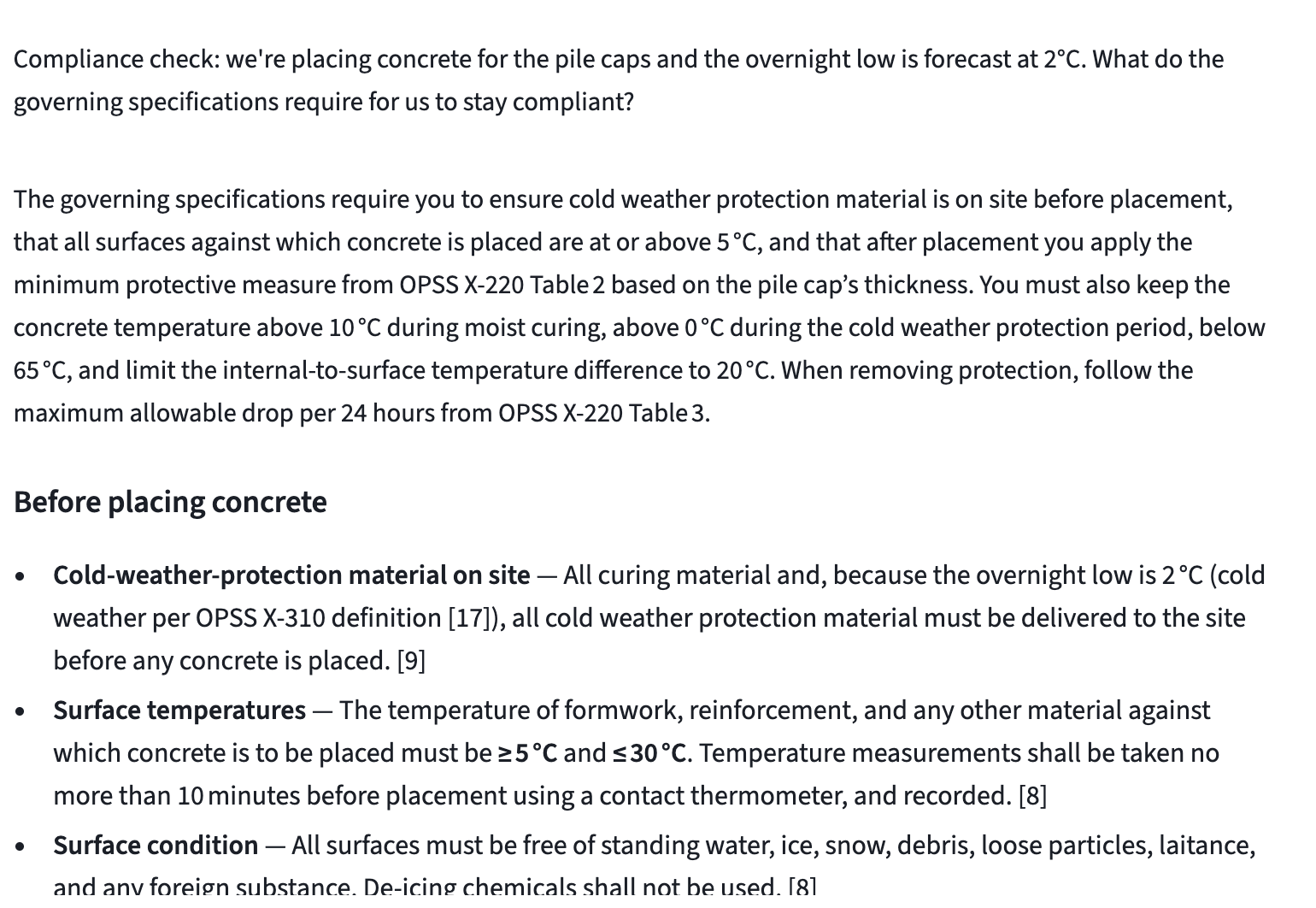
04 · Ask anything
Answered in seconds, cited to the page.
Follow-up questions keep the thread of the conversation, so you never have to repeat what you were asking about.
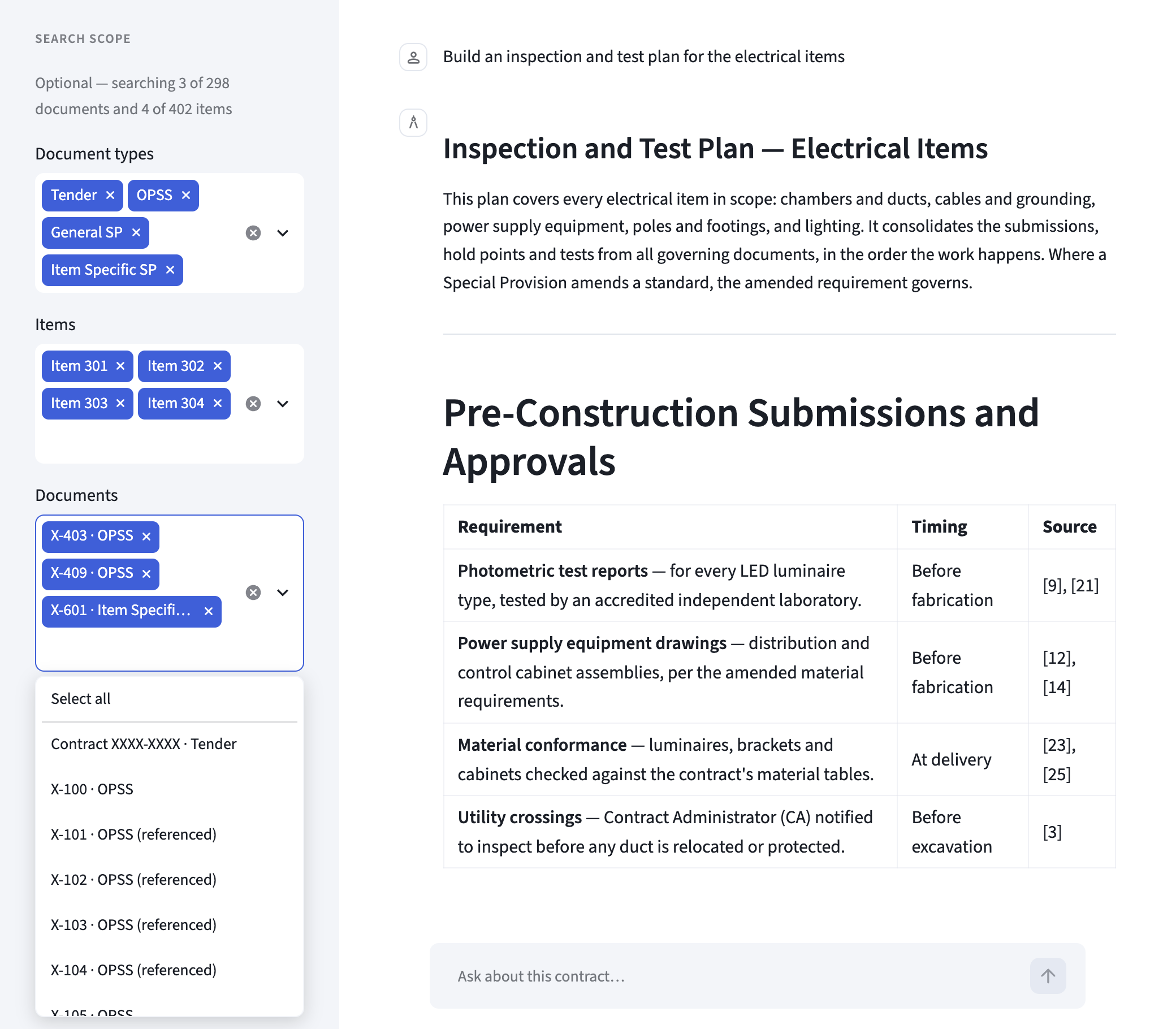
Leave the filters empty and every question searches the whole library.
05 · Search scope
No setup needed to get an answer.
By default the agent draws on your entire knowledge library. When you want a tighter answer, scope it to a hand-picked slice of the contract, and every answer stays within it.
Security
Tenders, bids and project records are commercially sensitive. TolAI is built to treat them that way.
Security is built into every stage of how TolAI is designed, built and shipped — not bolted on afterwards.
Your tenders, knowledge bases and conversations are stored encrypted with industry-standard AES-256.
Every connection to TolAI is protected with modern Transport Layer Security (TLS) encryption.
Your contract documents are never used to train, fine-tune or improve AI models without your express consent.
Bring a real tender. Watch the agent build the knowledge base and answer your question — live.
Book a demoyour convenience · your tender · no preparation needed